Autopilot is now available in GKE clusters via Compute Class. See the official announcement, and documentation.
Versions with this feature are now available for clusters in the Regular release channel. Here’s how to upgrade early and get these features today.
Per the docs, the …
Continue reading
Upgrading a GKE cluster to use Autopilot Compute Class
I’ve been following Arm for a while, so was glad that the C4A VM was GA’d earlier this year. These machines run Google silicon Axion chip. It’s also great to see broad geographical availability including regions like Tokyo. Feels like Arm is finally ready for prime time.
C4D …
Continue reading
Using C4A and C4D with Compute Class
GKE’s Autopilot mode is designed to be safer to operate and prevents many issues that can lead to sudden outages like misconfigured firewalls. However, if you’re trying to actually simulate a failure like when performing a zonal failure simulation, Autopilot’s safeguards can …
Continue reading
Simulate a zonal failure on Autopilot
Docker in Docker is an interesting workload to run on GKE in Autopilot mode, as for Autopilot you’re limited to userland programs, and Docker in Docker likes to run as root. This is a bit of a legacy from the days when docker was actually running on the host (now it’s …
Continue reading
Running Docker in Docker on GKE Autopilot with gVisor
DeepSeek’s R1 open model launch caused quite a stir with one of the first open reasoning models. Here’s how to run a demo of it locally on GKE!
We can use an Nvidia L4 (or A100 40GB) to run the 8B Llama distilled model, or a A100 80GB to run the 14 and 32B Quen distilled models. …
Continue reading
Running DeepSeek open reasoning models on GKE
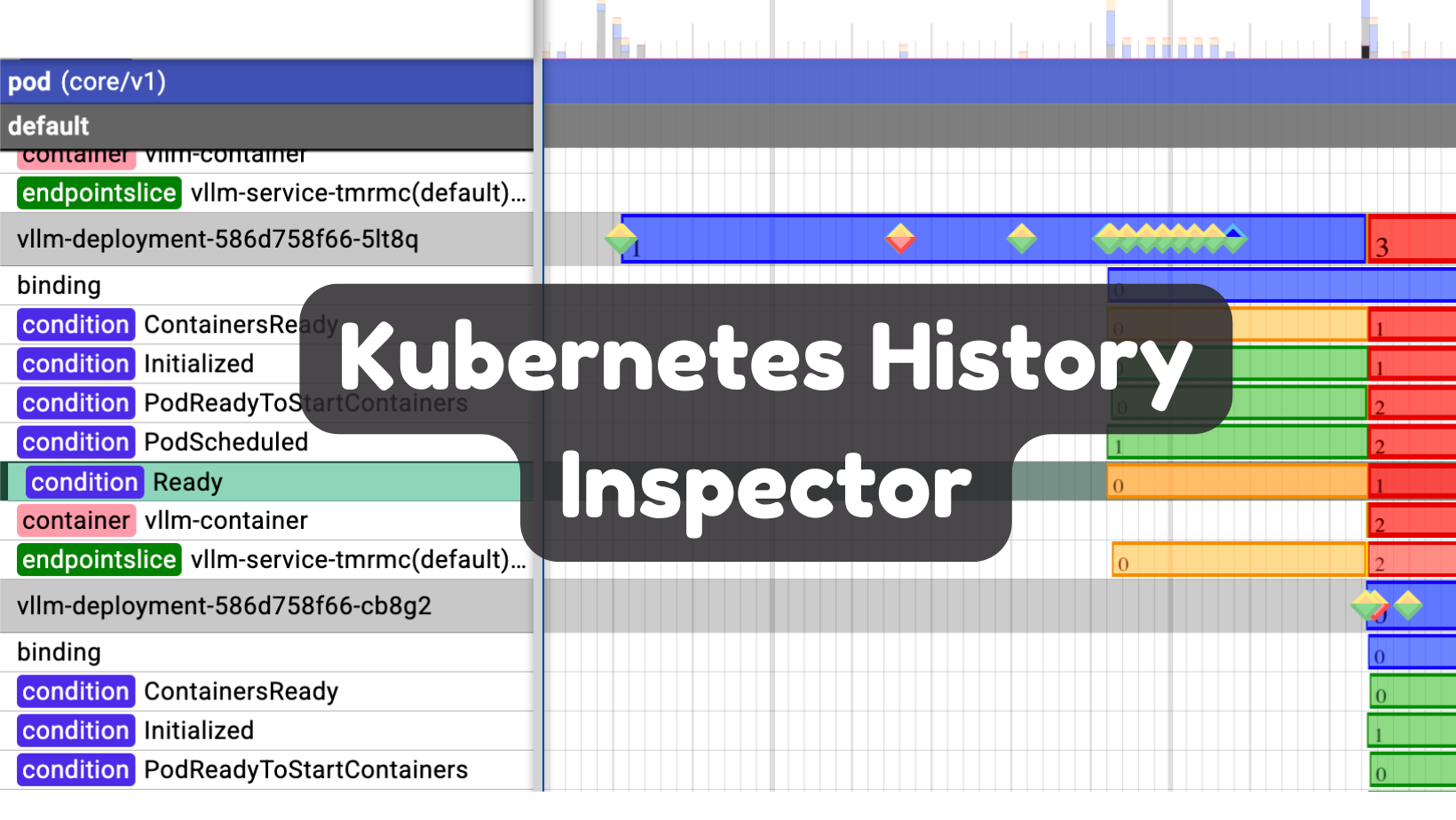
GKE users get access to an awesome new tool this week: the Kubernetes History Inspector. This product, released as open source, parses Kubernetes and GKE logs to generate a timeline with all events in the cluster.
Kubernetes is a complicated system with multiple objects, and …
Continue reading
Kubernetes History Inspector
Setting appropriate resource requirements in Pods is one of the most critical tasks of a developer deploying in Kubernetes. In section 5.2 of my book, I discuss how you can use kubectl top pods to analyze and set resource values. If you’re fortunate enough to use GKE where the …
Continue reading
Getting resource recommendations from VPA
Vertical Pod Autoscaling is a system that measures Pod utilization and attempts to set the right resource requests. For example, if the Pod is constantly using more CPU, VPA will increase the CPU requests. Contrasting Horizontal Pod Autoscaling (HPA) which can create more …
Continue reading
Scaling container resources automatically with VPA
New this year, Autopilot now has two pricing models: the original Pod-based model, and the new node-based option. The pricing page does a pretty good job of explaining the difference (at least I hope it explains it well, as I wrote it), and how best to utilize each option, but …
Continue reading
Using Node-based pricing on GKE Autopilot
Now that you’ve tried out Stable Diffusion on GKE Autopilot via the WebUI, you might be wondering how you’d go about adding stable diffusion as a proper micro-service that other components of your application can call. One popular way is via Ray. Let’s try this tutorial: Serve a …
Continue reading
Serving Stable Diffusion with RayServe on GKE Autopilot
I recently set out to run Stable Diffusion on GKE in Autopilot mode, building a container from scratch using the AUTOMATIC1111‘s webui. This is likely not how you’d host a stable diffusion service for production (which would make for a good topic of another blog post), but it’s a …
Continue reading
Stable Diffusion WebUI on GKE Autopilot
When building your business using LLMs as a key component, you may wish to be a master of your own domain and run your own model. Running your own LLM protects you from changes like pricing increases or API availability with third-party services, guarantees the privacy of your …
Continue reading
LLM Model Serving on Autopilot
Occasionally you may wish to remove and replace a node in GKE Autopilot.
That can be done with
kubectl cordon $NODE_NAME If you want to immediate drain the Pods and put them in the pending state, you can further drain the node:
kubectl drain $NODE_NAME --delete-emptydir-data …
Continue reading
Cordoning nodes in GKE Autopilot
Per the NVIDIA docs, CUDA 12 applications require driver 525.60.04+. This driver is available as part of GKE 1.28. To upgrade an existing cluster to the latest version of 1.28:
VERSION="1.28" REGION="us-central1" CLUSTER_NAME="autopilot-cluster-1" gcloud container clusters …
Continue reading
CUDA 12 on GKE Autopilot
Image streaming is a really great way to speed up workload scaling on GKE. Take for example the deep learning image from Google. In my testing, the container is created in just 20s, instead of 3m50s. While there is slightly higher latency on reads while the image streams, the …
Continue reading
Using Image Streaming with DockerHub
Update: this information is now available in the official docs.
If you want to know what version of your GPU drivers are active on GKE, here’s a one-liner:
kubectl logs -l k8s-app=nvidia-gpu-device-plugin \ -c "nvidia-gpu-device-plugin" --tail=-1 -n kube-system \ | grep Driver …
Continue reading
Finding the NVIDIA Driver Version on GKE
In my post Isolating namespaces with NetworkPolicy, I presented a pattern for isolating namespaces from each other in a cluster using NetworkPolicy. Let’s put those concepts in to practice.
Trying it out Cluster requirements This example is designed to run on GKE, using DPv2 and …
Continue reading
Testing Namespace Isolation using NetworkPolicy
Kubernetes allows for multi-tenancy within the cluster using namespaces. You can host multiple different applications each in their own namespace that at times can feel almost like a separate cluster. If you configure RBAC you can grant users and service accounts access to …
Continue reading
Isolating namespaces with NetworkPolicy
IPs are masqueraded by default in Autopilot to use the node IP for egress traffic. which is just a fancy way of saying, the Pod traffic looks like it comes from the node’s IP.
This is handy when using non-RFC1918 ranges in GKE to avoid IP exhaustion, since your Node IP range is …
Continue reading
Editing IP Masquerading rules for GKE Autopilot
GKE operates on a flat VPC structure. That means that every Node and Pod has an identity within your VPC, and their IPs are not re-used. This is convenient, as Pods are addressable within the VPC, but unless you create multiple VPCs to isolate resources, you can end up using a …
Continue reading
GKE Network Planning (2023)
Did you know that you can now add Pod IP ranges to GKE clusters? Pods use a lot of IPs, which in the past forced you to compromise. Do you allocate a lot of IPs to the cluster allowing for growth while reserving a big group of IPs, or do you allocate just a little to conserve …
Continue reading
Adding Pod IP ranges to GKE clusters
Did you know you can now run any service mesh on Autopilot? That’s right! Even though Autopilot is a fully managed Kubernetes platform which by nature means you don’t have full root access to the node, that doesn’t mean you’re limited in what service mesh you can install.
How …
Continue reading
BYO Service Mesh on GKE Autopilot
Autopilot offers a slightly more abstract view of compute infrastructure than GKE’s Standard mode. The idea is to focus more on the different use-cases than the minutiae of individual machine configurations. However, if you’re coming from GKE Standard or GCE, and know those …
Continue reading
Mapping Machine Types to Autopilot Compute Classes
Connect internal services from multiple clusters together in one logical namespace. Easily connect services running in Autopilot to Standard and vice versa, share services between teams running on their own services, and back an internal service by replicas in multiple clusters …
Continue reading
Multi-Cluster Services on GKE
Pod affinity is a useful technique in Kubernetes for expressing a requirement that a pod, say with the “reader” role, is co-located with another pod, say with the “writer’ role. You can express that requirement by adding something like the following to the reader pod.
affinity: …
Continue reading
Strict Pod Co-location
[Update (2023-12-20): You can now turn off workload logging in Autopilot. That is the recommended approach if you want to remove all workload logs. To disable workload logs for Autopilot (for example, if you use a third-party logging agent like DataDog), pass this value at …
Continue reading
Reducing GKE Log Ingestion
PodSpreadTopology is a way to get Kubernetes to spread out your pods across a failure domain, typically nodes or zones. Kubernetes platforms typically have some default spread built in, although it may not be as aggressive as you want (meaning, it might be more tolerant of …
Continue reading
HA 3-zone Deployments with PodSpreadTopology on Autopilot
Do you need to provision a whole bunch of ephemeral storage to your Autopilot Pods? For example, as part of a data processing pipeline? In the past with Kubernetes, you might have used emptyDir as a way to allocate a bunch of storage (taken from the node’s boot disk) to your …
Continue reading
SSD Ephemeral Storage on GKE (including Autopilot)
Last week, GKE announced GPU support for Autopilot. Here’s a fun way to try it out: a TensorFlow-enabled Jupyter Notebook with GPU-acceleration! We can even add state, so you can save your work between sessions. Autopilot makes all this really, really easy, as you can configure …
Continue reading
TensorFlow on GKE Autopilot with GPU acceleration
Let’s say you want to migrate a service in GKE from one cluster to another (including between Standard and Autopilot clusters), and keep the same external IP while you do. DNS might be the ideal way to update your service address, for whatever reason you need to keep the IP the …
Continue reading
Migrating an IP-based service in GKE
If you like what you see with Autopilot (now the recommended way to use GKE), and want to run it at scale, there are a few things to know when setting up the cluster, and scaling your workload.
Cluster Creation To run a large Autopilot cluster, it’s advisable to do two things: 1) …
Continue reading
Running GKE Autopilot at Scale
I previously documented how to add spare capacity to an Autopilot Kubernetes cluster, whereby you create a placeholder Deployment to provision some scheduling headroom. This works to constantly give you a certain amount of headroom, so for example if you have a 2vCPU placeholder …
Continue reading
Provisioning one-off spare capacity for GKE Autopilot
This week, Autopilot announced support for the Scale-Out Compute Class, for both x86 and Arm architectures. The point of this compute class is to give you cores for better single-threaded performance, and improved price/performance for “scale-out” workloads — basically for when …
Continue reading
High-Performance Compute on Autopilot
This week’s big news in Google Cloud was the addition to Arm across a wide range of products, including GCE VMs, and GKE (both Standard and Autopilot). In an earlier post, I covered how to get an Arm-ready Autopilot cluster on day 1.
The recommended way to build images for Arm is …
Continue reading
Building Arm Images with Cloud Build
Arm was made available in Preview on Google Cloud, and GKE Autopilot today! As this is an early stage Preview, there’s a few details to pay attention to if you want to try it out, like the version, regions and quota. I put together this quickstart for trying out Arm in Autopilot …
Continue reading
Arm on Autopilot
There are 3 common reasons why a Pod may be terminated on Autopilot: node upgrades, a cluster scale-down, and a node repair. PDBs and graceful termination periods modify the disruption to pods when these events happen, and maintenance windows and exclusions control when upgrade …
Continue reading
Minimizing Pod Disruption on Autopilot
Building a Nodeless Kubernetes Platform. Photo Credit: Kaslin Fields
Last month gave a presentation at KubeCon Europe in Valencia on “Building a Nodeless Kubernetes Platform”. In it, I shared the details about the creation of GKE Autopilot including some key decisions that we …
Continue reading
Building GKE Autopilot
Spot Pods are a great way to save money on Autopilot, currently 70% off the regular price. The catch is two-fold:
Your workload can be disrupted There may not always be spot capacity available For workload disruption, this is simply a judgement call. You should only run workloads …
Continue reading
Preferring Spot in GKE Autopilot
Autopilot while being operationally nodeless, still creates nodes for your workloads behind the scenes. Sometimes it may be desirable as an operator to separate your workloads so that certain workloads are scheduled on their separates nodes, a technique known as workload …
Continue reading
Separating Workloads in Autopilot
One of the neat things about Docker is that you don’t need to install any dev tools on your local machine.
Sometimes though you’ll need to run commands in the dev environment without your app being built (say if there is an error building the app, or you want to run a command …
Continue reading
Developing in Rails via Docker
One of the key design decisions of GKE Autopilot is the fact that we kept the same semantic meaning of the Kubernetes node object.
It’s “nodeless” in the sense that you don’t need to care about, or plan for nodes—they are provisioned and managed automatically based on your …
Continue reading
Kubernetes Nodes and Autopilot
Ahmet’s blog Did we market Knative wrong? got me interested to try out Knative again. I’ll confess that I found the original Istio requirement a bit of a heavy one just to run serverless, and it looked like the project has matured a lot since the early days. Version 1.0.0 was …
Continue reading
Testing Knative on GKE Autopilot
Want to run the Knative CLI tool kn in Google Cloud’s Cloud Shell? It’s easy:
Download the latest release from github.
linux-amd64 is the platform you want for CloudShell. Here I download version 1.3.0:
wget …
Continue reading
Install kn on Cloud Shell
The question often comes up: where do my node resources go in Kubernetes? In this post, I share how to use kubectl describe node to look at resource usage by different categories (system, user, etc).
The way I think about Kubernetes node resource usage is to assign resource …
Continue reading
Understanding Kubernetes Node Resource Allocation
Sometimes you may wish to create or update a GKE Autopilot cluster with a specific version. For example, the big news this week is that mutating webhooks are supported in Autopilot (from version 1.21.3-gke.900). Rather than waiting for your desired version to be the default in …
Continue reading
Creating an Autopilot cluster at a specific version
Update (2023-09): Autopilot now supports the ability to add additional Pod IP ranges, so you no longer need to plan this up front. Read the official docs, and my test run.
One of the most important decisions you can make for your Autopilot cluster is selecting the right network …
Continue reading
Choosing the right network size for Autopilot
GKE Autopilot is deployed using the regional cluster architecture. This has a number of advantages such as giving you 3 master nodes for high availability of the control plane, and the ability to spread pods among zones for high availability of your workloads. But sometimes this …
Continue reading
Using GKE Autopilot in specific zones
GKE Autopilot is pretty magical. You create a cluster just by picking a region and giving it a name, schedule Kubernetes workloads and the compute resources are provisioned automatically.
While Kubernetes is provisioning resources, your Pods will be in the Pending state. This is …
Continue reading
GKE Autopilot: how to know if Pending pods will be scheduled
I still have a place in my heart for phpMyAdmin, that tool that I was introduced when developing PHP on my shared hosting provider many moons ago. It’s just a great way to inspect your MariaDB/MySQL databases.
These days I don’t install any web applications (or databases) on my …
Continue reading
Configuring phpMyAdmin with CloudSQL, RDS, and Docker
Autopilot is a new mode of operation for Google Kubernetes Engine (GKE) where compute capacity is dynamically provisioned based on your pod’s requirements. Among other innovations, it essentially functions as a fully automatic cluster autoscaler.
Update: GKE now has an official …
Continue reading
Provisioning spare capacity in GKE Autopilot with placeholder balloon pods